
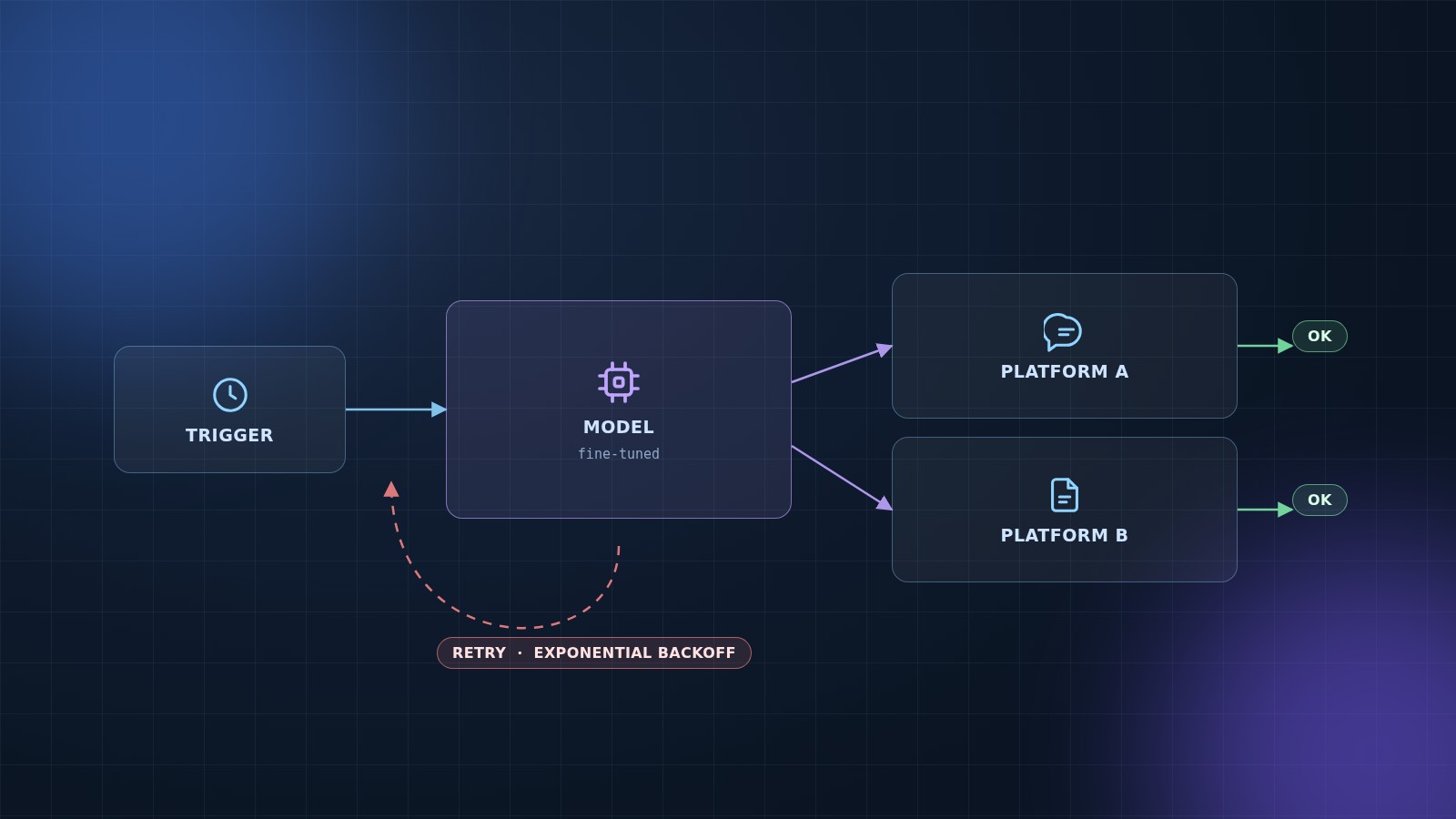
We recently implemented an automated social media content generation and posting system for a client. The project required integrating a fine-tuned AI model trained on their existing blog content to generate platform-specific posts for Facebook and LinkedIn, create Midjourney prompts for image generation, and automatically generate new topics based on successful content patterns.
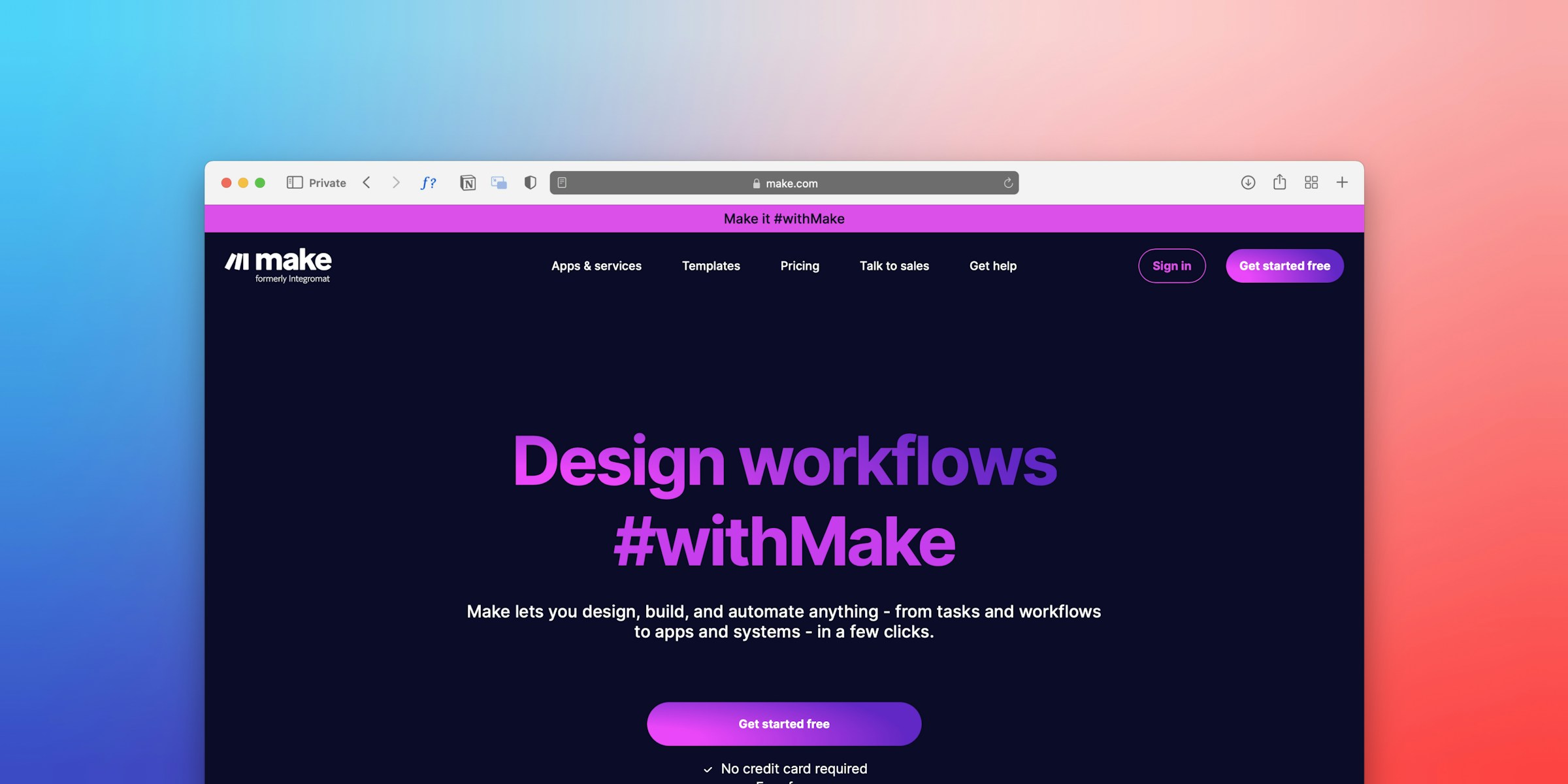
Make.com served as the automation platform, connecting the fine-tuned OpenAI model with social media APIs and image services. This article outlines the implementation approach, technical challenges, and lessons learned.
System Requirements
The system needed to handle several key functions:
- Generate content using a fine-tuned AI model trained on the client's blog posts
- Create platform-specific content for Facebook and LinkedIn
- Generate Midjourney prompts for image creation
- Automatically generate new topics based on previous successful content
- Format content according to platform requirements (character limits, hashtags, tone)
- Manage posting schedules and handle error recovery
Platform Overview: Make.com
Make.com positions itself as a no-code automation platform, but the reality is more nuanced. While simple workflows are straightforward, complex logic requires understanding the platform's unique approach to data flow and module connections.
For developers, the mental model shift is significant. Traditional programming concepts translate differently:
- Variables become "Set variable" modules
- Functions become built-in functions in data mappers
- Control flow becomes routers and filters
- Loops become iterators
This conceptual shift requires time to internalize. The visual interface helps, but complex scenarios with 20+ modules can become overwhelming. Understanding data flow between modules requires experimentation and practice.
Documentation is often incomplete or outdated, requiring significant time in community forums and experimentation. This is common in rapidly evolving fields where reality moves faster than documentation.
Implementation Approach
Scheduling and Time Zones
The implementation started with a scheduled trigger running daily. The first challenge was timezone handling. Make.com uses UTC by default, but posts needed to publish at specific local times for different audiences. This required timezone conversion logic using Make.com's "Set variable" and "Date/time formatter" modules. Handling daylight saving time transitions and different timezone formats proved more complex than initially expected.
Fine-Tuned Model Integration
The client provided a fine-tuned OpenAI model trained on their blog posts. This required using the fine-tuned model endpoint instead of the standard GPT-4 endpoint, primarily by specifying the fine-tuned model ID.
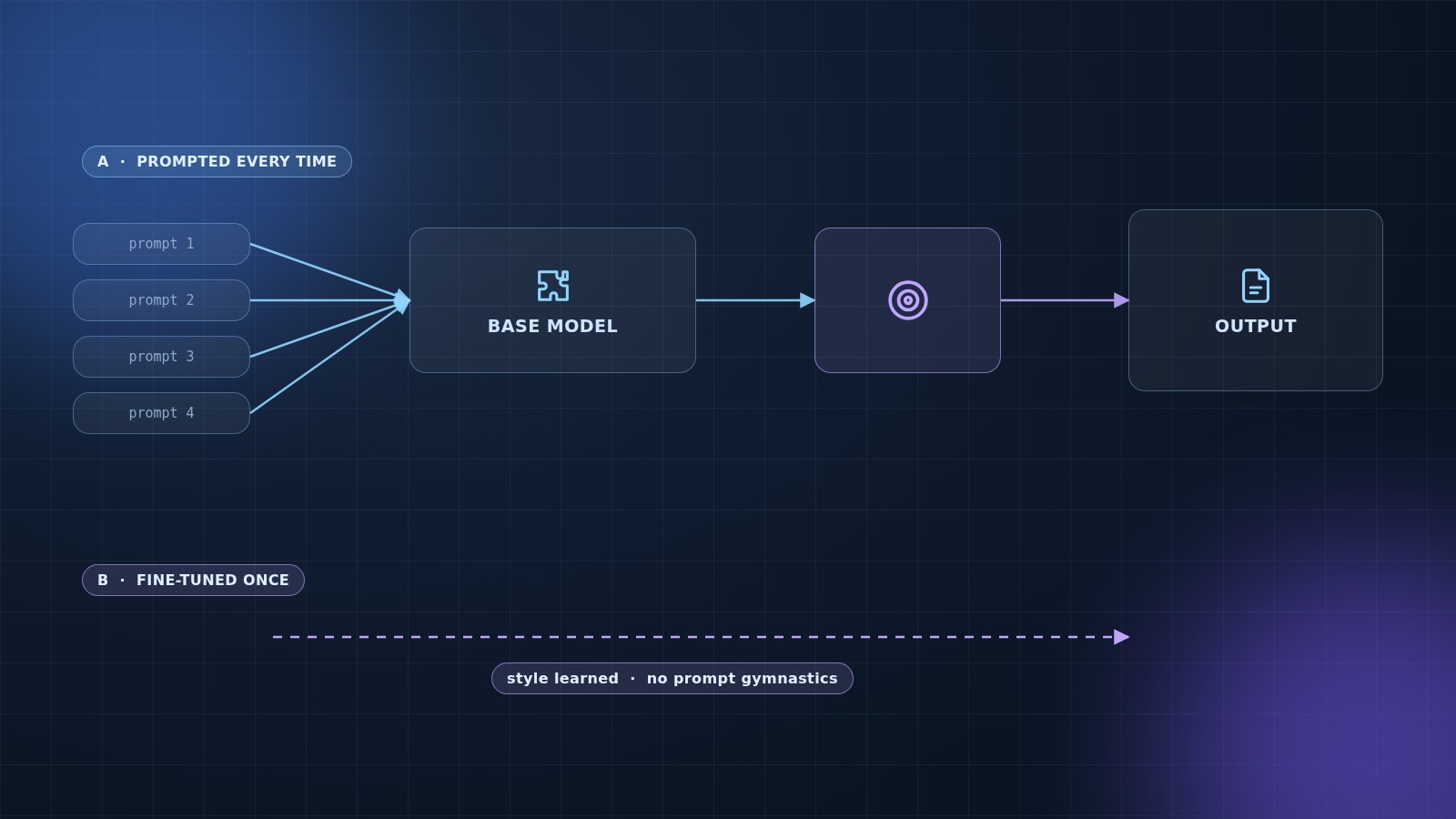
Fine-tuning trains a pre-trained AI model on a specific dataset to improve performance for particular tasks or adopt a specific style. In this case, the model learned the client's writing style, tone, and preferred topics, effectively specializing a general-purpose model for their domain.
The choice between fine-tuning and prompt engineering depends on requirements:
- Prompt Engineering: Instructions provided in each request. Effective but requires consistent prompting and doesn't deeply learn the style.
- Fine-Tuning: The model learns the style during training. Once trained, it naturally generates content in that style without extensive prompting.
For brand consistency across hundreds of posts, fine-tuning was the appropriate choice. However, it comes with trade-offs including cost, maintenance requirements when brand voice evolves, and potentially different rate limits compared to base models.
Topic Generation
The system automatically generates new topics by retrieving previous post topics and themes from a data store, analyzing patterns and common themes, then using the AI model to generate related but new topics. This ensures content remains relevant while exploring new directions.
Image Prompt Generation
Another requirement was generating Midjourney prompts for images. Midjourney has its own style and format, so the system creates these prompts based on content topics. The challenge was handling the API response structure. In Make.com, the "JSON parser" module extracts content from nested JSON structures, which requires careful attention to array indexing in the data mapping interface.
Platform-Specific Formatting
Content formatting follows the same style as the original blog posts, adapted for each platform's requirements. Facebook supports longer posts, while LinkedIn works best with professional, industry-focused content. The transformation logic uses Make.com's "Set variable" and "Text parser" modules to adjust content length, add hashtags, and format according to platform specifications.
Image Handling
The system generates Midjourney prompts, but Midjourney doesn't have a direct API. The workflow stores prompts, and images are created manually or through a separate process. Once ready, images are linked back to content.
For immediate needs, we integrated a fallback to DALL-E 3. Images are stored in Google Drive, and URLs are attached to posts before publishing. For Facebook and LinkedIn, images are crucial for engagement, making this step mandatory in the workflow.
Technical Challenges
API Rate Limits
OpenAI implements rate limits that vary by account tier, model type, request type, and whether using fine-tuned models. Exceeding these limits results in rate limiting errors. We implemented retry logic with exponential backoff. Make.com has built-in error handling, but configuring it correctly requires setting up error handlers that catch specific error types and route them to retry logic or fallback mechanisms.
API Changes
Working with AI and social media APIs means dealing with constant change. While building this system, OpenAI released GPT-4 Turbo with different pricing and behavior. The API structure remained the same, but the model name changed, requiring prompt updates because the new model handles instructions differently. Documentation didn't clearly explain the differences, requiring testing and discovery.
Social media platforms frequently update their APIs. Endpoints change, rate limits change, and authentication methods evolve. What works one month might require updates the next. Make.com's native modules sometimes lag behind these changes, requiring HTTP modules for newer API features. This creates maintenance overhead from managing multiple integration methods.
Complex Data Structures
Make.com works with JSON, but mapping complex nested data visually can be challenging. When OpenAI returns content that needs extraction, transformation, and distribution to multiple platforms, the data mapping becomes complex.
Accessing nested data like openai_response.choices[0].message.content requires dot notation in the data mapper: {{openai_response.choices[0].message.content}}. If arrays are empty or structures change, this breaks. We added validation modules to check data existence before use.
Cost Management
GPT-4 usage requires cost management. We implemented several cost-saving measures:
- Caching generated content and reusing variations
- Using stock images instead of AI generation when possible
- Batching API calls to reduce overhead
Testing and Debugging
Debugging in Make.com differs significantly from traditional programming. You cannot set breakpoints or step through code. Instead, you run scenarios, check execution logs, examine what data each module received and output, and manually trace through the flow.
Execution logs show input/output for each module, which helps, but complex scenarios with 20+ modules can be overwhelming. We created simplified test scenarios to debug specific parts.
Key Lessons Learned
Start with One Platform
Attempting to build for multiple platforms simultaneously proved inefficient. Each platform has unique quirks, and debugging multiple integrations at once was overwhelming. Focusing on one platform first, then adding others incrementally, would have been more effective.
Error Handling is Essential
APIs fail. Networks timeout. Rate limits are hit. Without graceful error handling, automation breaks silently or generates excessive notifications. We learned to add error handlers at every critical step, not just at the end.
Comprehensive Logging
Make.com provides execution logs, but we also built custom logging using Google Sheets. Every execution logs timestamp, what was attempted, success/failure status, error messages, execution metrics, and execution time. This logging saved countless hours during debugging.
Test with Real Data Early
Testing with dummy data first masked real-world issues. When switching to real topics and API calls, we discovered problems we hadn't anticipated: special characters breaking JSON, URLs not encoding correctly, timezone issues. Testing with real data early, at small scale, is crucial.
Documentation Limitations
We bookmarked OpenAI API reference, Instagram Graph API docs, Make.com module documentation, and various Stack Overflow threads. However, documentation is often incomplete or outdated. The Make.com community forum became invaluable for finding solutions to specific problems.
Current System Capabilities
What Works:
- Daily automated content generation for multiple platforms
- AI-powered image selection with DALL-E fallback
- Platform-specific formatting
- Basic error handling and retry logic
- Cost tracking and logging
What Requires Manual Intervention:
- Content quality review before publishing
- Engagement monitoring and responses
- Strategy adjustments based on performance
- Handling platform-specific features
Known Limitations:
- Image generation can be slow (10-30 seconds per image)
- Rate limiting occurs occasionally during peak usage
- Platform API changes require manual updates
- Costs can spike if errors trigger excessive retries
Investment Considerations
Building this system requires both time and financial investment. Initial setup takes significant time, and ongoing maintenance is necessary as APIs and platforms evolve. However, the time savings in daily operations make it worthwhile for organizations producing content at scale.
Conclusion
This project demonstrated that automation is powerful but not magic. It requires technical understanding, time investment in setup and debugging, ongoing maintenance, cost management, and human oversight for quality control.
The field continues evolving rapidly. What works today might need updates next month. Documentation lags behind reality. APIs change without much notice. Despite these challenges, the system works and provides significant time savings.
For organizations considering similar implementations, we recommend starting simple with one platform and basic functionality, learning the platform's data flow thoroughly, implementing error handling from the beginning, logging everything for debugging, testing with real data early, and budgeting for ongoing maintenance.
This is not a "set it and forget it" solution. It's a tool that requires understanding, maintenance, and human oversight. When properly implemented, it's incredibly powerful.
The automation and AI space moves fast. What's cutting-edge today might be standard tomorrow. But for organizations willing to learn, adapt, and iterate, the tools exist to build genuinely useful automation systems.